
PayNow
MCMetrics has built-in PayNow integration, where it listens to events emitted by PayNow without needing to use the PayNow plugin on your Minecraft server. It tracks Orders, Refunds, and Subscription Renewals.
You can still track purchase events manually with the MCMetrics plugin, but it requires additional setup.
Setup with Your Server
IMPORTANT
Before you begin, you must create a PayNow API key to use with MCMetrics. For more information, check out PayNow's API Key Guide.
- Click the Settings Cog (⚙️) in the top-right corner of the dashboard.
- Select Server Settings from the dropdown menu.
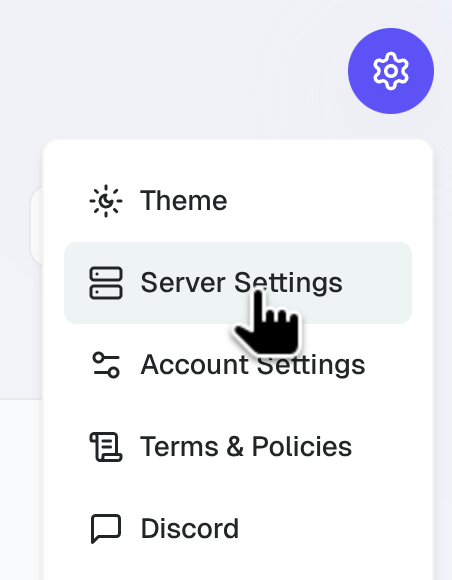
- Scroll down to the PayNow Integration section.
- Input your PayNow API Key.
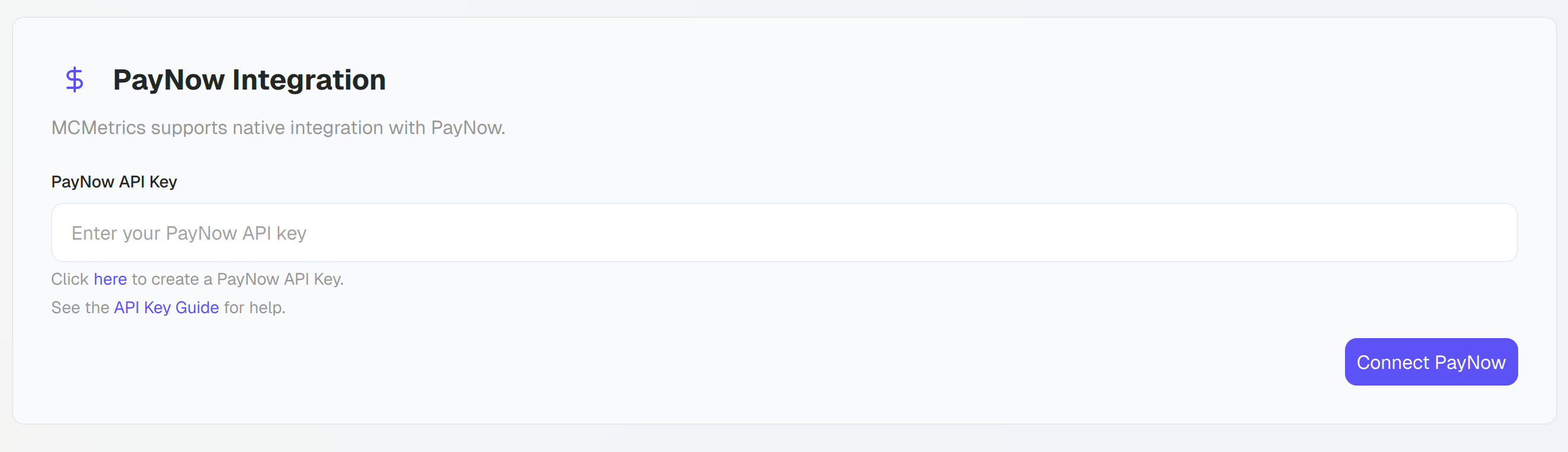
- Click the Connect PayNow button.
- MCMetrics will now listen to all new PayNow events.
Backfilling Purchases
After setting up your server, you can backfill previous purchases made on PayNow by players.
- Scroll down to the PayNow Integration section.
- Click the Backfill button left to Disconnect PayNow.
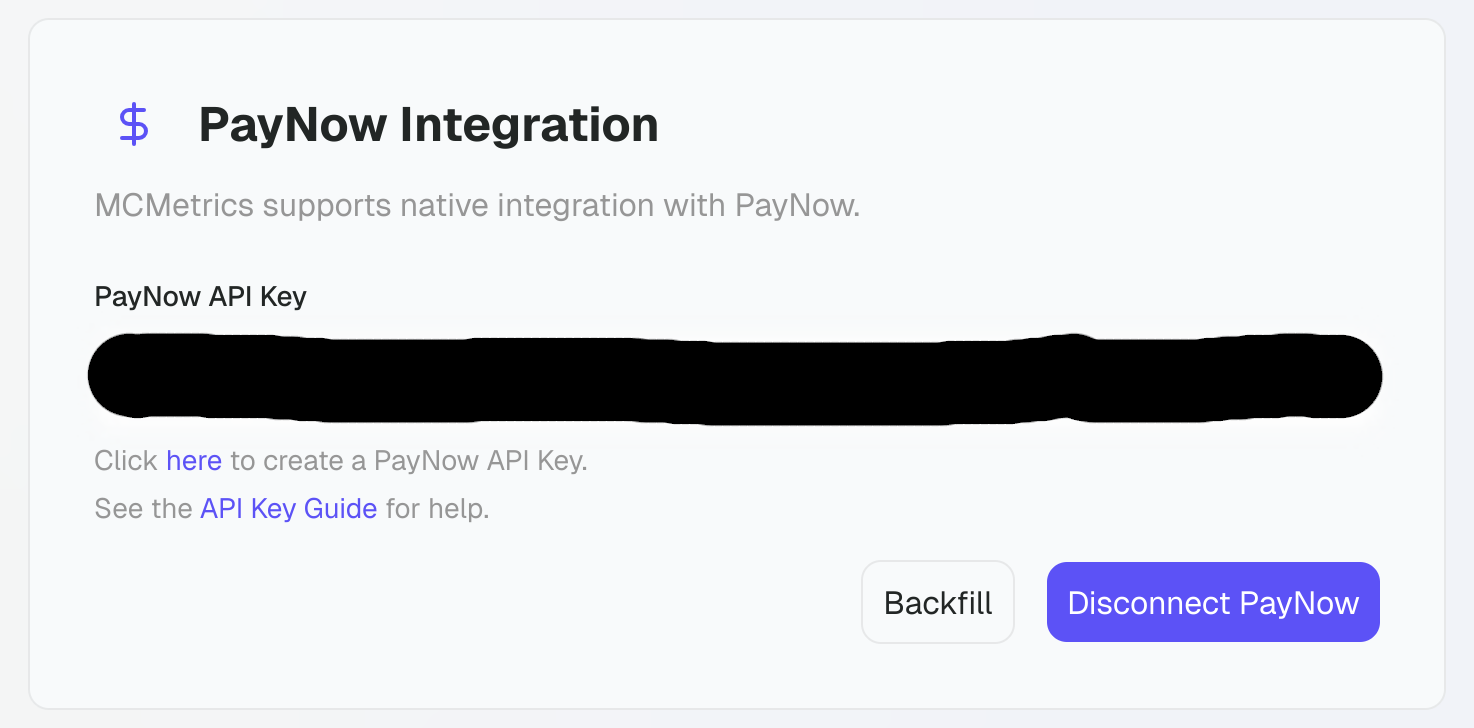
- MCMetrics will now backfill all previous purchases from PayNow as player purchase events.
API Key Permissions
When creating the role for the API key for PayNow under Access > Roles, the minimal amount of permissions required for the integration to work are as followed.
- 🔲 Store
- ☑️ View Store
- ☑️ Webhook
- ☑️ Resend Webhooks
- ☑️ View Webhooks
- ☑️ Delete Webhooks
- ☑️ Create Webhooks
- ☑️ Update Webhooks
- ☑️ View Webhook History
- 🔲 Order
- ☑️ View Orders